Connect with Coalition Members on WhatsApp
Coalition members can stay connected with our community through WhatsApp, a secure platform that allows you to engage in real-time discussions without worrying about spam. To help protect your privacy, we’ve included suggested best practices below.
Why Join Us on WhatsApp
Members-Only Benefit: Access to our WhatsApp groups is exclusive to Coalition members.
Stay in the Loop: Receive the latest Coalition news, event reminders, and regulatory updates directly on your phone.
Engage with Peers: Connect with colleagues and industry experts in a convenient, real-time setting.
How to Join
If you’re a Coalition member and would like to join our members-only WhatsApp group, please complete the brief form linked below. Once verified, you’ll receive an invitation to join the group.
Best Practices: Protect Your Privacy & Avoid Spam
To ensure a safe and positive experience for all participants, we encourage members to review their WhatsApp privacy and group settings before joining.
You can:
Control who can add you to groups
Limit who can see your personal information
Mute notifications or chats as needed
Follow our step-by-step guide with screenshots, see below, for detailed instructions on adjusting your settings and keeping your WhatsApp experience secure and spam-free.
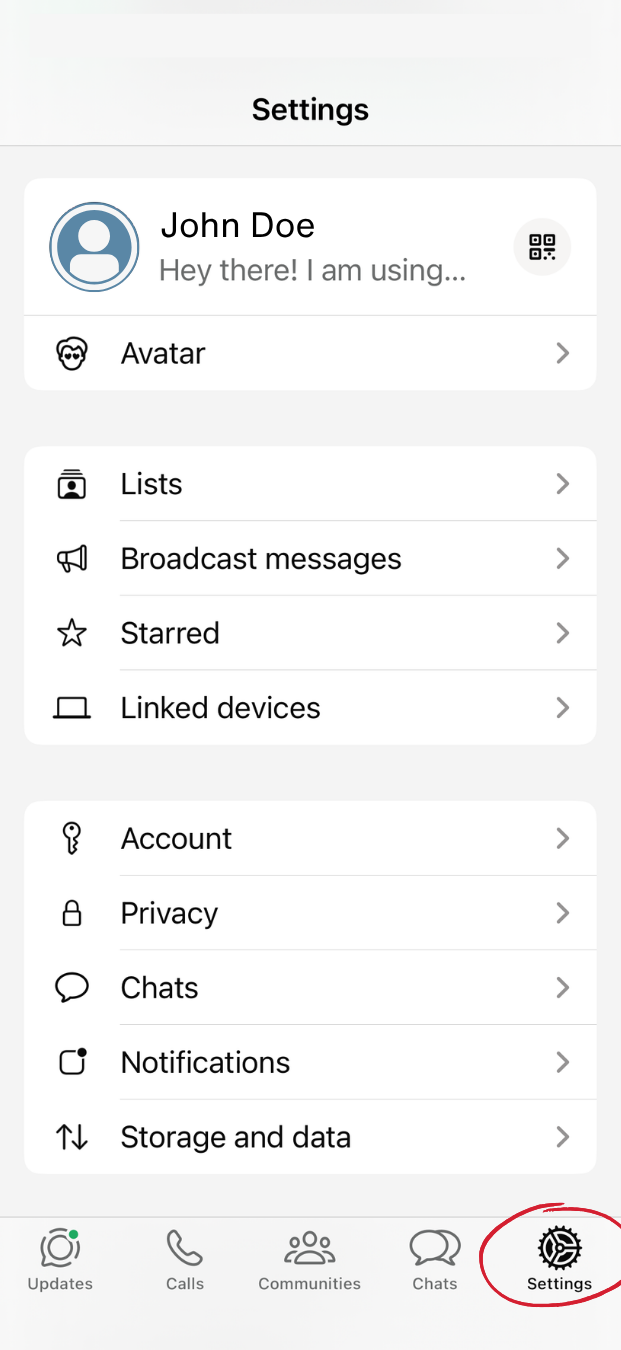
Step 1
Open WhatsApp.
Tap Settings (bottom right).
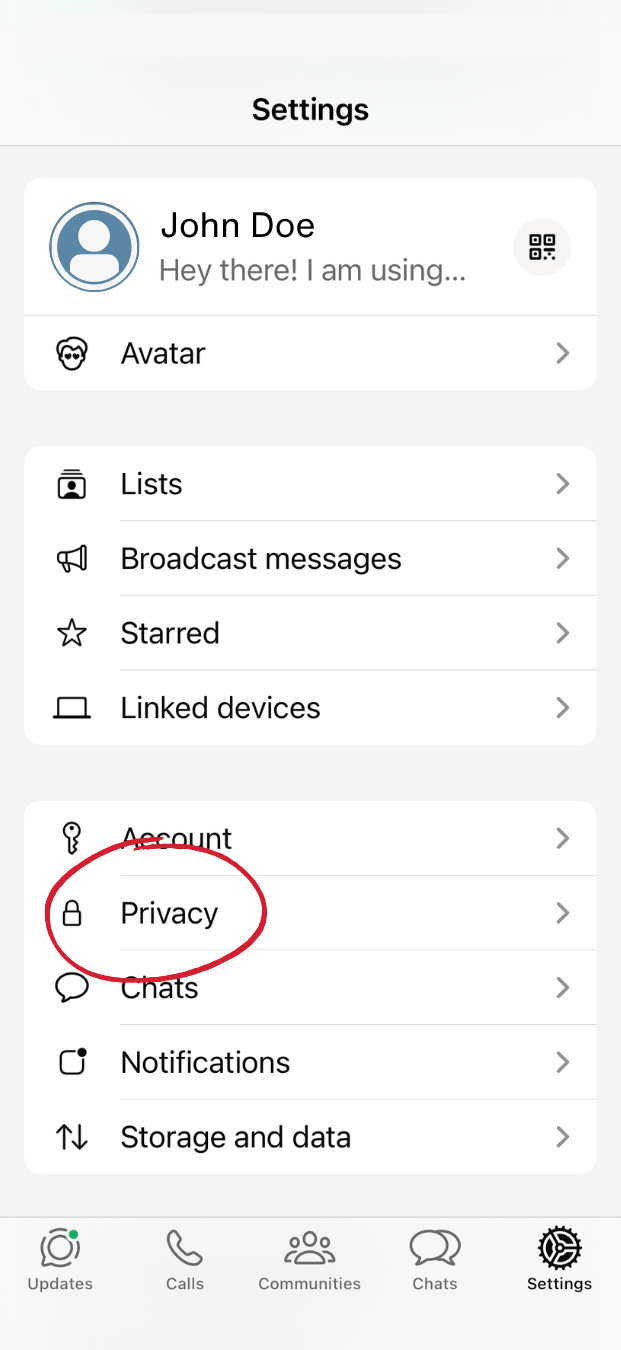
Step 2
From Settings, tap Account.
Tap Privacy.
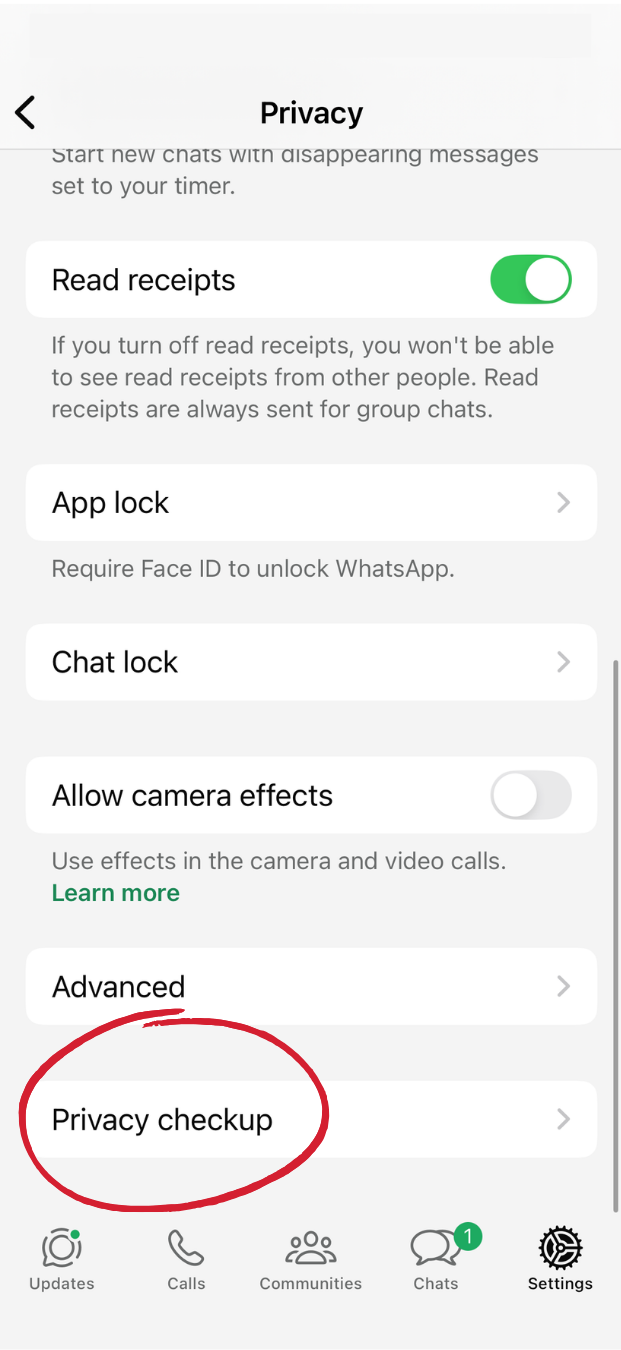
Step 4
Return to Settings screen.
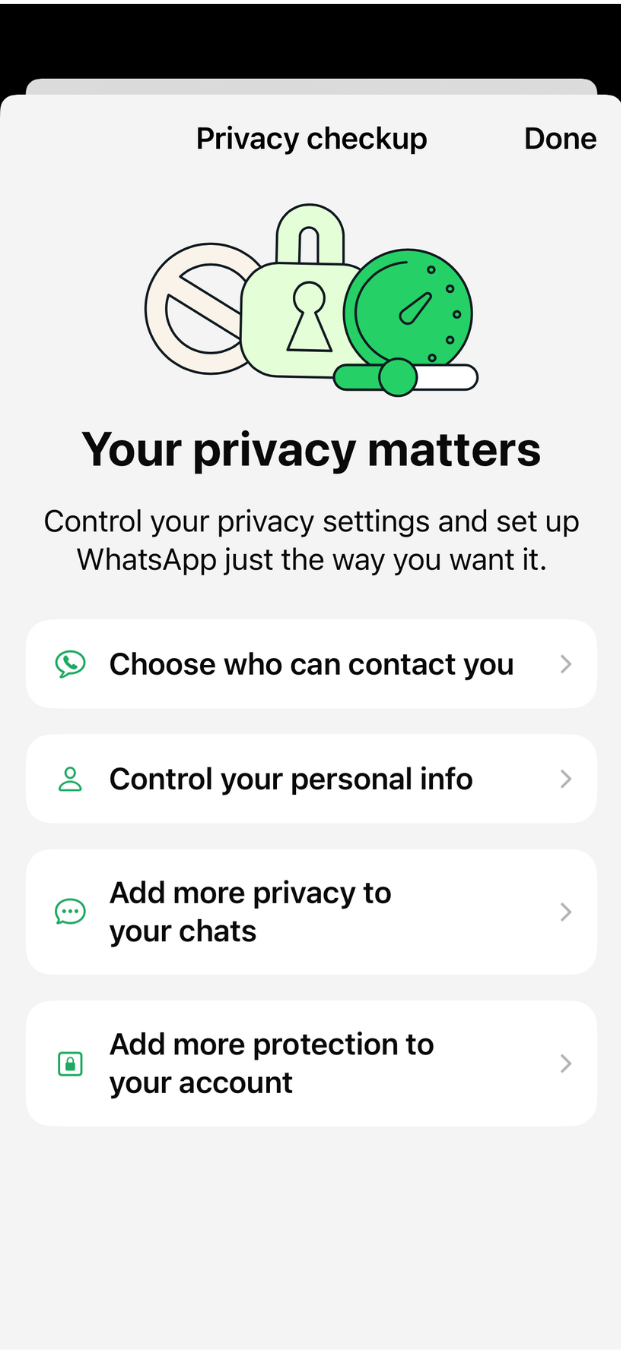
Scroll down to “Privacy Checkup”
Step 5
Click through privacy check up prompts, to double check everything. WhatsApp will suggest additional privacy settings.
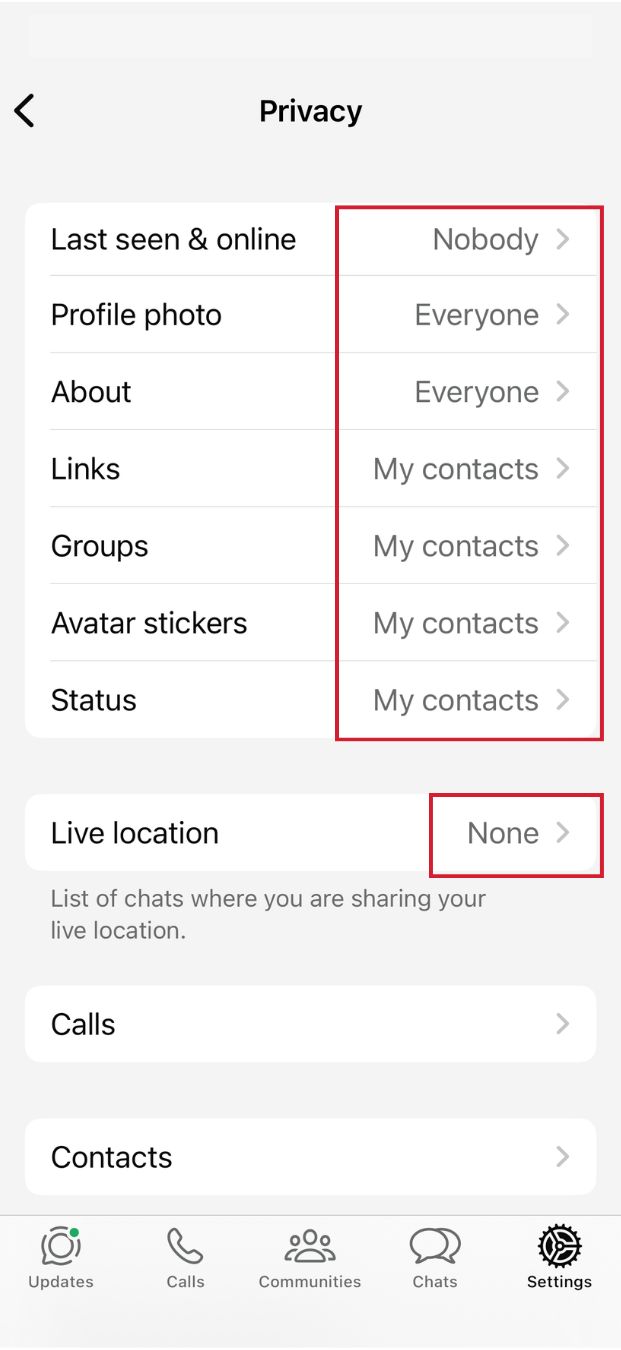
Step 3
Edit individual privacy setting by selecting the “>” arrow.